Unfite brings you the latest update news for Samsung’s toughest phone. The Samsung Galaxy XCover 7 One UI 9 update has started rolling out in Asia, bringing Android 17 to the rugged handset that Samsung built for field and frontline workers. Samsung has released the update first in Malaysia, and other countries across Asia should get it in the coming days, with more regions to follow after that.
This is not a small patch. One UI 9 is Samsung’s Android 17 software, and for the XCover 7 it is the third major Android upgrade since the phone launched on Android 14 in January 2024. If you use this phone on a construction site, in a warehouse, in a hospital or out in the field, this update is the one that keeps it current with Samsung’s newest interface and features.
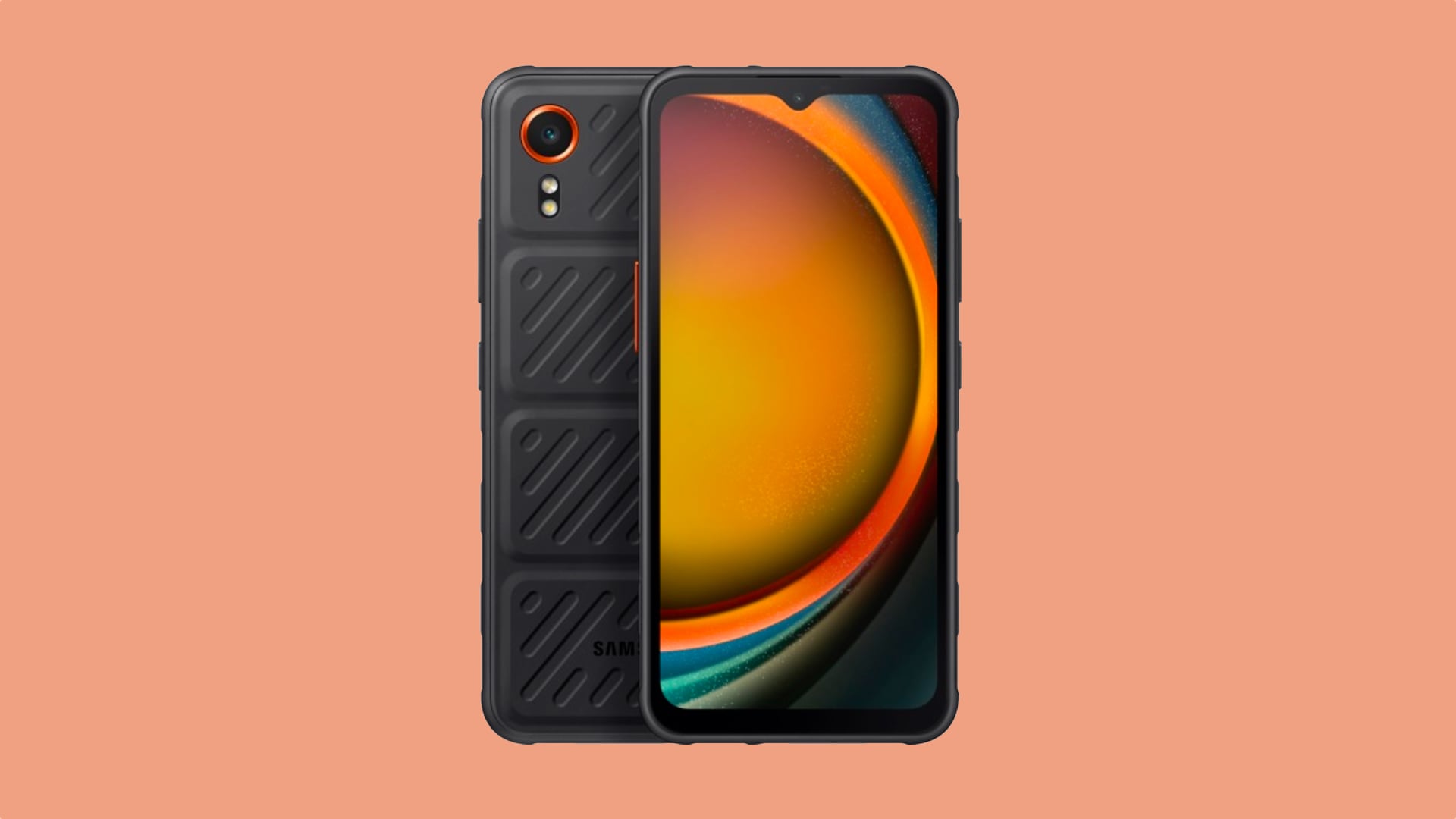
At a glance: Samsung Galaxy XCover 7 One UI 9 update
| Detail | What we know |
|---|---|
| Update | One UI 9.0, based on Android 17 |
| Firmware | G556BXXUJFZJC |
| First region | Malaysia |
| Next regions | Other Asian countries in the coming days, then wider rollout |
| November 2026 security patch | Not included in this build |
| Cost | Free, over the air |
| Phone | Galaxy XCover 7 (SM-G556B), launched January 2024 |
What is rolling out, and where
Samsung has started the stable One UI 9.0 rollout for the Galaxy XCover 7 in Asia. The Samsung Galaxy XCover 7 One UI 9 update carries firmware version G556BXXUJFZJC and is live in Malaysia first. Samsung usually rolls major updates out in waves, so owners in other Asian countries should see it arrive over the coming days, and the rollout should then expand to other regions.
One thing to note: this build does not bundle the November 2026 security patch. Samsung detailed the November patch separately at the start of the month, and this XCover 7 release ships without it. That is not unusual for a first major OS release in a region, and the patch should arrive with a later update. Do not assume your phone has the November fixes just because it now runs One UI 9.
The XCover 7 is a different kind of Galaxy phone. It is not a flagship and it is not a slim lifestyle handset. Samsung sells it mainly to businesses and enterprises, for workers who need a phone that survives drops, dust, rain and rough handling. That makes this update worth noting: Samsung is still giving its workhorse phone the same big Android upgrade as its consumer flagships, nearly three years after launch.
What is new in One UI 9 on the Galaxy XCover 7
Beyond Android 17 itself, One UI 9 brings a set of changes that XCover 7 owners will actually notice day to day.
The lock screen gets more choice. Samsung has added new font styles for the lock screen clock widget, so the clock can look the way you want it to. The Quick Panel, the panel you pull down for Wi-Fi, Bluetooth and brightness, gets more layout customisation, so you can arrange the controls that matter most to you within easier reach.
There is a new Warranty and care section inside the Settings app. It puts warranty and device-care information in one place, which is handy for a work phone that may be managed by an employer. Samsung has also made it clearer when an app is using your location, with better transparency around app location access, and Lockdown Mode is now quicker to reach when you want the phone locked down fast.
Bixby gets attention too. Samsung’s assistant gains improved natural language processing, better conversational context and full chat thread history, so a conversation with Bixby can pick up where it left off instead of starting over each time.
Samsung has not published a separate XCover 7-only feature list, so do not expect the headline AI features that Samsung reserves for its Galaxy S and Z flagships. The features above are the ones Samsung’s rollout reports name for this phone, and they are the ones owners should look for after installing.
How to install the Samsung Galaxy XCover 7 One UI 9 update
If you are in Malaysia and own a Galaxy XCover 7, you can check for the update right now. Open the Settings app, go to Software update, and tap Check for updates. If the update is there, tap Download and install.
Before you start, connect to a stable Wi-Fi network. A major OS upgrade is a large download, and you do not want it interrupted halfway. Make sure the phone has at least 30 percent battery left before you begin, and back up anything important first. Once the download finishes, tap Restart now when prompted, and the phone will install One UI 9 and restart.
If nothing shows up, the update simply has not reached your unit yet. Samsung pushes updates in phases, so two identical phones in the same city can get the prompt on different days. Keep checking every day or two, and do not install firmware meant for another region or model.
Galaxy XCover 7 specifications
The XCover 7 is built around toughness, not thinness. Here is the full specification recap, taken from Samsung’s official product information.
| Specification | Galaxy XCover 7 |
|---|---|
| Display | 6.6-inch FHD+ TFT, 20:9, 60Hz, 500 nits, Gorilla Glass Victus+ |
| Processor | MediaTek Dimensity 6100+ (6nm octa-core) |
| RAM and storage | 6GB RAM, 128GB storage, microSD up to 1TB |
| Rear camera | 50MP wide, f/1.8, LED flash |
| Front camera | 5MP, f/2.0 |
| Battery | 4,050mAh, user-replaceable, 15W fast charging, POGO pin charging |
| Durability | IP68 water and dust resistance, MIL-STD-810H, drop-resistant to 1.5m |
| Software at launch | Android 14 with One UI 6 |
| Software now | Android 17 with One UI 9 |
| Connectivity | 5G, LTE, Wi-Fi 5, Bluetooth 5.3, NFC, USB Type-C 2.0 |
| Extras | Programmable XCover Key, Knox Capture barcode scanning, glove touch, 3.5mm earphone jack |
| Security | Samsung Knox with Knox Vault, face recognition |
| Size and weight | 169.0 x 80.1 x 10.2 mm, 240g |
The removable battery is the feature most regular phones have given up. On the XCover 7 you can swap in a spare battery and keep working, or charge several batteries in a POGO dock at the office. The programmable XCover Key can be set to open a chosen app, start a barcode scan with Knox Capture, or run another frequent task with one press. The touchscreen works with gloves and in wet conditions, which is exactly the point of this phone.
Price and variants
The Galaxy XCover 7 comes in a single main configuration in most markets: 6GB of RAM with 128GB of storage, with a microSD slot for up to 1TB more. Some markets also sold a 4GB RAM and 64GB storage version.
Samsung sells the XCover 7 mainly through its business and enterprise channels rather than regular consumer phone shops, so there is no single India retail price to quote for it. Buyers in India should check Samsung’s business store or an enterprise reseller for current pricing and availability. Unfite is not quoting an India price here because no verified India price was available in the sources checked for this article.
What this update means for XCover 7 owners
This is the third major Android upgrade for the XCover 7. It launched on Android 14, then received Android 15 and Android 16, and now Android 17 with One UI 9. Samsung promised up to four generations of OS upgrades and up to five years of security updates for this phone, so one more major Android upgrade should still be on the table after this one, and security patches should continue into 2029.
That long support window matters more for this phone than for most. A rugged work phone is bought to last, and it is often used for three or four years by the same worker. An update like this keeps the phone’s interface, privacy controls and assistant features in step with Samsung’s current software, instead of leaving it frozen on old software while the hardware is still perfectly usable.
The timing also tells a story about Samsung’s rollout order. The XCover 7 Pro, the stronger sibling launched in May 2025, received One UI 9 in late October 2026. The standard XCover 7 now follows about a week later. Owners of the Pro model are already on the new software, and standard XCover 7 owners in Asia are now joining them.
Pros and cons
Pros
- Third major Android upgrade keeps a 2024 work phone current
- Removable 4,050mAh battery and POGO charging suit long shifts
- IP68 and MIL-STD-810H toughness, with Gorilla Glass Victus+
- Programmable XCover Key and Knox Capture help real field work
- Samsung Knox Vault security, now with One UI 9 privacy controls
Cons
- 60Hz TFT display feels basic next to modern 120Hz AMOLED screens
- Modest 4,050mAh battery by 2026 standards, and only 15W charging
- No November 2026 security patch in this first build
- Single 50MP rear camera, no ultrawide lens
- Sold mainly through business channels, so it is harder to buy than a regular Galaxy A phone
Frequently asked questions
Is the Samsung Galaxy XCover 7 One UI 9 update available in India?
Not yet. The rollout has started in Malaysia, and Samsung says other Asian countries will follow in the coming days. No India date has been announced, so Indian owners should keep checking Settings, then Software update, then Check for updates.
What is the firmware version of the Galaxy XCover 7 One UI 9 update?
The firmware version is G556BXXUJFZJC. That build is the one rolling out in Malaysia first. Other regions may get the same build or a slightly different regional build when the rollout expands.
Does the update include the November 2026 security patch?
No. This release does not bundle the November 2026 security patch. Samsung’s November patch is a separate update, and it should reach the XCover 7 with a later release.
Is One UI 9 the last major update for the Galaxy XCover 7?
No. Android 17 is the third major upgrade for this phone, and Samsung promised up to four generations of OS upgrades. One more major Android upgrade should still follow, and security updates are promised for up to five years from launch.
How do I check if One UI 9 is available on my XCover 7?
Open Settings, go to Software update, and tap Check for updates. Use Wi-Fi for the download and keep at least 30 percent battery before installing. If nothing appears, the phased rollout has not reached your phone yet.
Final word
The Galaxy XCover 7 was never meant to win a beauty contest. It was built to survive a workday that would break a normal phone, and Samsung is now giving it Android 17 to match. The Samsung Galaxy XCover 7 One UI 9 update brings a fresher lock screen, a more flexible Quick Panel, clearer privacy controls and a smarter Bixby to a phone that is still earning its keep in the field. If you own one, check for the update, install it on Wi-Fi, and let it carry on doing the rough jobs. Unfite will keep tracking Samsung’s One UI 9 rollout as it reaches more Galaxy phones, including the Galaxy A54 One UI 9 update in the US.
Image Credit: Samsung — Official product image
2 thoughts on “Samsung Galaxy XCover 7 Gets One UI 9 in Asia: Android 17, Firmware and How to Install”