Intro
Unfite brings you the full details of the iQOO 13 OriginOS 7 update in India. The Android 17-based software is now reaching iQOO 13 users in the country, and iQOO’s own community team has confirmed that OriginOS 7 is live for the phone. If you own an iQOO 13, the update should appear on your phone in the coming days, if it has not already.
The iQOO 13 OriginOS 7 update is a big one. It is close to 5GB in size, it moves the phone from Android 16 to Android 17, and it brings a fresh design, smoother animations, new AI tools and better multitasking. The rollout is happening in phases, so not every iQOO 13 will get it on the same day. Here is everything that is confirmed so far: the build number, the download size, the new features, and how to check for it on your phone.
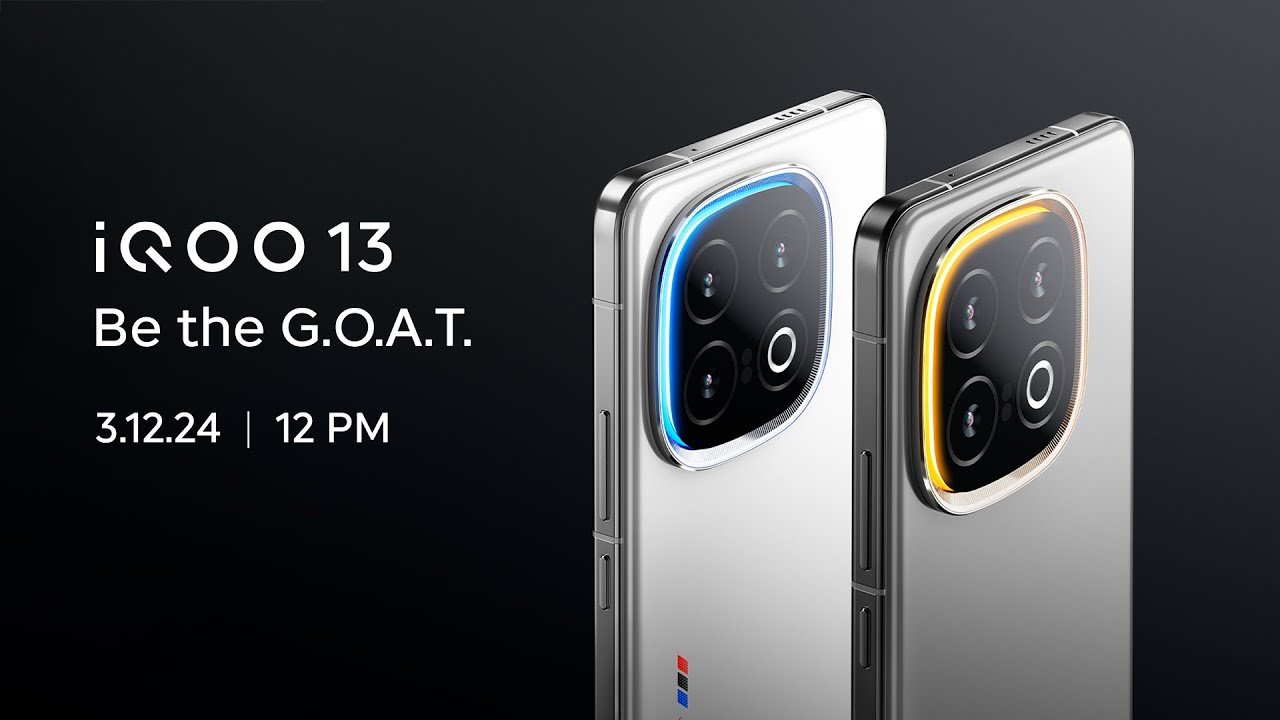
At a glance:
- Phone: iQOO 13 (India model)
- Update: OriginOS 7, based on Android 17
- Confirmed live: 13 November 2026, by iQOO’s community team
- Download size: about 4.84GB (users have also reported 4.86GB for an earlier build)
- Reported build: PD2408F_EX_A_17.2.10.5.W30 (an earlier build, PD2408F_EX_A_17.2.10.4.W30, was also reported)
- Rollout: phased, over the air (OTA)
- Price: free, as with all software updates
iQOO 13 OriginOS 7 Update: What Has Been Confirmed
iQOO confirmed the rollout on its official community forum on 13 November 2026. In a post addressed to iQOO 13 users, the company’s community team said OriginOS 7 is live for the phone, with a download size of 4.84GB. The post tells users to look for the update on the homepage of the update settings, or under the upcoming updates section, and advises them to back up their data before installing and to move to Android 17.
That confirmation matters because it comes from iQOO itself, not from a leak or a rumour. It also lines up with iQOO’s official India schedule. When iQOO shared its OriginOS 7 rollout plan for India in October 2026, the iQOO 13 was placed in the mid-November window, together with the iQOO 15R. The iQOO 15 came first, at the end of October, and the iQOO 13 is now following exactly on that schedule.
Users had already started seeing the update before the official post. A screen recording shared on 2 November 2026 showed the OriginOS 7 update available on an iQOO 13, and more users reported receiving it through the first half of November. The rollout began through iQOO’s early-access and trial channels and is now widening to more users. One update tracker still lists the iQOO 13 under early access in India, so the safest way to describe the rollout is this: the update is live and reaching users, but it is arriving in batches, and it may take a few more days to reach every iQOO 13 in India.
Which Build Is Rolling Out
Two closely related builds of the iQOO 13 OriginOS 7 update have been reported by users in India.
The first reported build is PD2408F_EX_A_17.2.10.4.W30, shown in a screen recording from 2 November 2026 with a download size of 4.86GB. A later build, PD2408F_EX_A_17.2.10.5.W30, has also been reported by iQOO 13 users on iQOO’s community forum. The official community announcement lists the download at 4.84GB, which is in the same range; small differences in size between builds are normal.
There is also a follow-up build to watch for. iQOO 13 users have reported a first optimisation update after the major OriginOS 7 update, build PD2408BF_EX_A_17.2.11.3.W30, described as a stable public release update. That is the normal pattern for a big Android upgrade: the major version lands first, and smaller optimisation updates follow to fix early issues.
One early issue is worth knowing about. Some iQOO 13 users on the community forum have reported faster battery drain after installing the OriginOS 7 update. That is a user report, not something iQOO has confirmed as a wide problem, and early battery behaviour often settles after a day or two while the system finishes optimising in the background. Even so, it is a good reason to back up your data and install the update when you have time and a charger nearby, rather than in a hurry.
iQOO has not published a separate security-patch level for this iQOO 13 build. The wider OriginOS 7 wave is listed with the October 2026 security patch level, but for the iQOO 13 itself, check the changelog shown on your own phone’s update screen before installing.
What Is New in OriginOS 7
OriginOS 7 is Vivo and iQOO’s new software skin, built on Android 17. It was first shown in China on 16 September 2026, and the global version followed on 21 September. The iQOO 13 is moving from OriginOS 6 (Android 16) to OriginOS 7 (Android 17), which is the phone’s second major Android upgrade since launch.
Here is what the new software brings:
A new look. OriginOS 7 has a translucent, liquid-glass style design, with new lock-screen themes, new clock styles and fonts, dark icons on the home screen, and premium textures with light effects that respond as you move through the system.
Smoother movement. The update brings Fluid Motion animations and an improved Smooth Engine, which Vivo and iQOO say make app launches faster and scrolling and switching between apps feel more fluid. The Control Centre can be customised, including the volume slider.
Origin Workbench. Multitasking gets a new Origin Workbench, which makes it easier to work with more than one app at a time, along with AI Cross-App Drag, which can pull text from one app into another, including translation.
Jovi AI and smart tools. The Jovi AI assistant (also called Blue Copilot in some regions) gets new abilities, and there are new AI tools for calls and recording, including call overview summaries and AI call answering, plus a recorder view that shows speaker insights. There is also a new Origin StickIt feature that lets you save the subject of a photo as a sticker.
Battery and privacy. BlueVolt system tools add battery-life transparency and adaptive battery management. On privacy, there is a new Security Shield, a device security scan and permission suggestions that flag apps asking for more access than they need.
Better connections and files. The update adds Office Kit camera access, a Docs reader mode, handwriting scan, iCloud access inside File Manager, and improvements to Albums, the notification centre and global search.
Some features can vary by device and region, so not every item above will look identical on every iQOO 13. The core changes — the new design, the smoother animations, the multitasking tools and the AI features — are the same across the OriginOS 7 rollout.
How to Check and Install the Update
If you own an iQOO 13 in India, here is how to check for the iQOO 13 OriginOS 7 update:
- Open Settings on your phone.
- Go to System update (on iQOO phones this is under System management and upgrade in some versions).
- Your phone will check for a new version. If OriginOS 7 is available, it will show as a new version based on Android 17.
- Tap Download and install.
Before you install, keep these points in mind:
- Back up first. iQOO’s own announcement advises users to back up their data before the upgrade. The update should not delete your data, but a backup removes the risk.
- Use Wi-Fi. The download is close to 5GB, so use Wi-Fi rather than mobile data.
- Charge your phone. Keep the battery above 50 percent, or keep the charger connected. The phone may feel warm and use extra power during the install, and it needs about an hour after the upgrade to finish optimising in the background.
- Be patient. The rollout is phased. If the update has not appeared on your phone yet, check again in a few days. Do not install update files from unknown sources; wait for the official over-the-air update.
After installing, give the phone a day to settle. Animations, battery use and app behaviour can feel slightly different in the first hours while the system finishes its background optimisation.
iQOO 13: A Quick Recap
The iQOO 13 is iQOO’s flagship from late 2024, and it remains a strong phone even now. It launched in India on 3 December 2024 as the second phone in the country with Qualcomm’s Snapdragon 8 Elite chip, and it went on sale on 11 December 2024 through Amazon and the iQOO e-store.
At launch it ran Android 15 with Funtouch OS 15 in India (OriginOS 5 in China), with a promise of four major Android upgrades and five years of security patches. It has since received Android 16 with OriginOS 6, and OriginOS 7 with Android 17 is now the second of those four promised upgrades, which means two more major Android versions should still follow.
iQOO 13 specifications (India model):
| Specification | iQOO 13 (India model) |
|---|---|
| Display | 6.82-inch LTPO AMOLED, 2K (1440 x 3168), 144Hz, HDR10+, up to 4,500 nits peak |
| Processor | Qualcomm Snapdragon 8 Elite (3nm), Adreno 830, vivo Supercomputing Chip Q2 |
| RAM and storage | 12GB / 16GB RAM, 256GB / 512GB / 1TB storage, UFS 4.0 / 4.1 |
| Rear cameras | Triple 50MP — 50MP main with OIS, 50MP 2x telephoto with OIS, 50MP ultra-wide |
| Front camera | 32MP |
| Video | Up to 8K at 30fps (rear), 4K at 30/60fps (front) |
| Battery | 6,000mAh (India model; 6,150mAh global), 120W wired fast charging |
| Software at launch | Android 15, Funtouch OS 15 (India); now updating to Android 17, OriginOS 7 |
| Durability | IP68 / IP69 dust and water resistance |
| Extras | Monster Halo RGB light ring around the camera module, ultrasonic in-display fingerprint sensor, stereo speakers, IR blaster, USB Type-C 3.2 |
| Colours (India) | Legend (White, BMW M branding) and Nardo Gray |
Price and Variants
The iQOO 13 launched in India at Rs 54,999 for the 12GB RAM + 256GB storage model, and Rs 59,999 for the 16GB RAM + 512GB storage model. At launch, buyers could get up to Rs 3,000 off with HDFC Bank and ICICI Bank cards, which brought the effective prices down to Rs 51,999 and Rs 56,999.
Prices in stores can change with offers and stock, so check the current listing before buying. The update itself is free, as with all software updates, and it does not depend on which variant or colour you own.
What Is Good and What to Watch Out For
What is good about this update:
- Android 17 with a fresh design and smoother animations
- New AI tools for calls, recording and multitasking
- Origin Workbench makes working with two apps easier
- Battery tools show battery health more clearly
- The phone still has two more major Android upgrades promised after this one
What to watch out for:
- The rollout is phased, so the update may not appear on your phone straight away
- The download is close to 5GB, so it needs Wi-Fi and time
- Some users have reported faster battery drain right after updating, which often settles after a day
- A few features can vary by device and region, so your phone may not show every OriginOS 7 feature listed here
What Comes Next
The iQOO 13 OriginOS 7 update is part of a much wider rollout. iQOO’s India schedule runs until February 2027, covering 13 phones. The iQOO 15 already has OriginOS 7, and the iQOO 15R is in the same mid-November window as the iQOO 13. The iQOO 12 and the Neo 10 series follow in mid-December, and the Z series phones follow in January and February 2027.
For iQOO 13 owners, the next step is simple: check Settings, then System update, and install OriginOS 7 when it appears. If it has not appeared yet, there is nothing wrong with your phone — the rollout is still reaching users in batches. Unfite will keep tracking the wider OriginOS 7 rollout in India, including the iQOO 15R, as more phones get the update.
Frequently Asked Questions
- Is the iQOO 13 OriginOS 7 update available in India? Yes. iQOO’s community team confirmed on 13 November 2026 that OriginOS 7 is live for iQOO 13 users in India. The rollout is phased, so it may take a few days to reach every phone.
- What is the build number of the iQOO 13 OriginOS 7 update? Users in India have reported build PD2408F_EX_A_17.2.10.5.W30, with an earlier build PD2408F_EX_A_17.2.10.4.W30 also reported. The download is about 4.84GB. A follow-up optimisation build, PD2408BF_EX_A_17.2.11.3.W30, has also been reported.
- How big is the iQOO 13 OriginOS 7 update? About 4.84GB, according to iQOO’s community announcement. Users have reported 4.86GB for an earlier build. Use Wi-Fi to download it.
- Is the iQOO 13 OriginOS 7 update free? Yes. Like all software updates, OriginOS 7 is free. You only need Wi-Fi for the download and enough battery or a charger for the install.
- How do I install OriginOS 7 on my iQOO 13? Go to Settings, then System update, and tap Download and install when the new version appears. Back up your data first, use Wi-Fi, and keep the phone charged. If the update has not appeared yet, check again in a few days — the rollout is phased.
Image Credit: iQOO — Official launch video thumbnail via YouTube (iQOO India official channel)
1 thought on “iQOO 13 Gets OriginOS 7 Update in India: Android 17, Build and How to Install”