Google Dreambeans app India launches on 3 November 2026, bringing Google’s experimental daily-story app to people in India aged 18 and over on Android and iOS. Each morning, users receive a fresh, personal collection of visual stories, instead of an endless feed to scroll through. Unfite has looked at what the app does, which Google services it can use, the languages it supports, and the limits you should know before you connect your accounts.
India is the first country outside the United States to get Dreambeans. Google says the choice reflects strong interest from Indian users and the wide overlap between people who already use Gemini, Gmail and Google Photos. That combination matters, because Dreambeans is built to turn information from the apps you choose into short, visual ideas for the day ahead, rather than asking you to search for inspiration or scroll through an endless feed. Unfite readers will find the morning-collection idea easy to understand: check a small set of stories, pick what interests you, and then move on with your day.
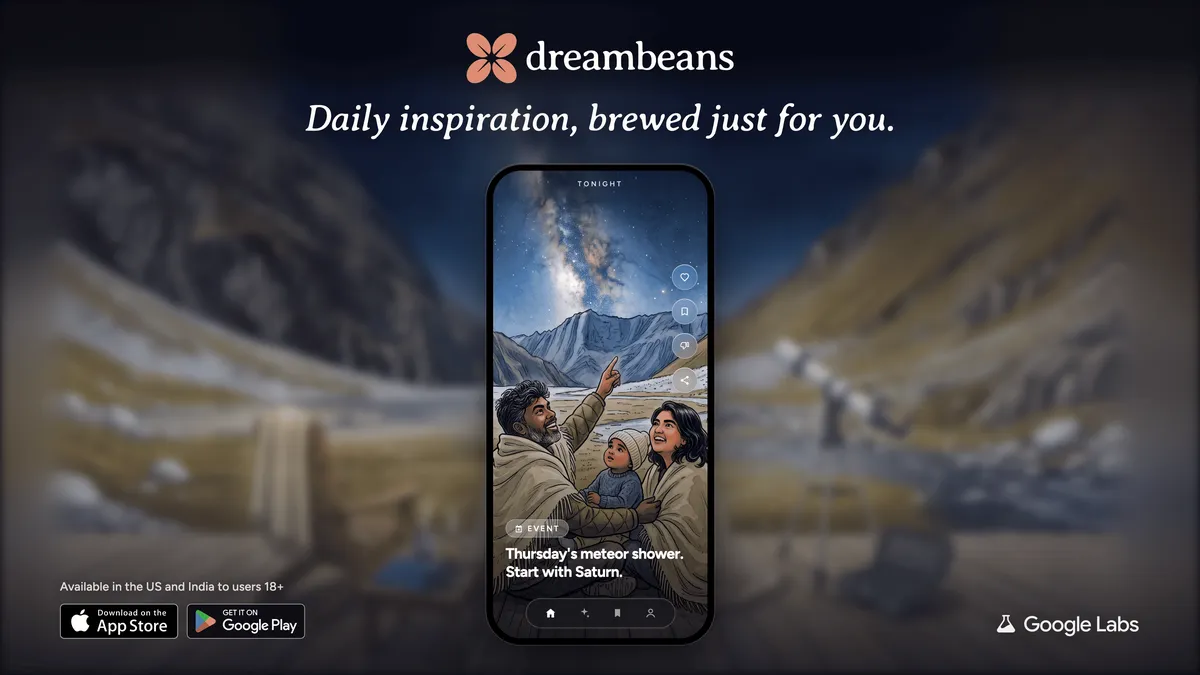
What is Google Dreambeans?
Google Dreambeans app India is an experimental app from Google Labs. Its name brings two ideas together. The word dream points to the work that happens overnight, while beans points to the fresh stories that are brewed, or prepared, for you each morning. Instead of showing the same feed every time you open your phone, the app prepares a finite collection. When you have finished the collection, you are done for the day.
Each story is visual and personal. It might suggest a place worth exploring, a craft or art activity to try, or a local event that fits your interests. It can also reflect things happening in your daily life, such as a trip, a hobby or a topic you have been reading about. The aim is simple: give you a small set of ideas that feel made for you, without the pressure to keep scrolling.
Google is clear that this is still an experiment. That means the app may sometimes show a story that feels irrelevant, or a visual that is not quite accurate. It is best to treat Dreambeans as a source of ideas and inspiration, not as a reliable source of facts, directions or event details. If a story suggests a place or an event, it is worth checking the details before you plan around it.
How Dreambeans works overnight
The process starts the night before. Once you have connected at least one supported Google app and chosen your preferences, Dreambeans works overnight on information from those apps. By morning, it delivers a new collection of stories, which are sometimes called beans. You open the app, browse the collection, and explore the ideas that catch your eye.
The overnight step is the key difference from a normal news or social app. You do not need to search, follow accounts, or build a feed. The app does the preparation in the background and presents the result as a finished set. That can make mornings feel calmer, especially if you usually start the day by opening several apps to see what is new.
Your first collection will not appear at once. Google says it can take up to a day to prepare, and the app will send a notification when it is ready. After that, the rhythm should settle into a daily pattern, with a fresh collection each morning. If you change your connections or preferences, the type of stories you receive should change over time as well.
Which Google apps it connects, and your privacy controls
You choose which Google apps Dreambeans can use. The supported apps are Calendar, Gemini, Gmail, Photos, Search and YouTube. You must connect at least one app to get started, but you do not have to connect all of them. A smaller set of connections will give the app less to work with, while a wider set may produce more personal stories.
For example, Calendar can help the app understand your plans, Photos can reflect places and moments that matter to you, and Search or YouTube can show topics you enjoy. Gmail and Gemini can add further context from messages and conversations you have chosen to share. The point is not to hand over everything at once. Start with one or two apps, see what kind of stories appear, and then decide whether to add more.
Privacy controls are central to the design. Stories are visible only to the account holder, and Dreambeans is available for personal Google accounts only, not for enterprise or work accounts. You can change your connections at any time, delete your Dreambeans data, and ask the app to avoid certain subjects. Those controls matter because the app is personal by nature. If a topic feels too private or simply unhelpful, you can steer the app away from it rather than accepting every story it produces.
As with any app that uses personal information, it is sensible to review the connections from time to time. Check which apps are linked, remove any you no longer want to share, and think about whether the stories you receive are worth the access you have given. A useful habit is to start narrow, test the results for a week, and only then widen the connections.
Languages: 14 options, one at a time
Dreambeans launches in India with support for 14 languages in total. English is included, along with 13 Indian languages: Hindi, Bengali, Telugu, Marathi, Tamil, Urdu, Gujarati, Kannada, Malayalam, Odia, Punjabi, Assamese and Nepali. That range is important in a country where people often prefer to read and explore ideas in their first language. Google Dreambeans app India users can therefore choose the language that suits them best for each story collection.
There is one limit to keep in mind. A single story uses one language at a time, so languages cannot be mixed inside the same story yet. Google product manager Gozde Oznur has noted this limit, and it means you should choose the language that works best for the whole story, rather than expecting a blend of languages in one collection. You can still enjoy stories in different languages across different days or collections, depending on your settings.
Google Dreambeans app India: Who can use it?
In India, Dreambeans is available to people aged 18 and over with a personal Google account, on Android and iOS. It is a free app, and Google has not stated a price or subscription for it, so you should not expect a payment step to use the basic experience. If you are using a work or school account managed by an organisation, you will not be able to use Dreambeans with that account.
The age rule and the personal-account rule are both worth noting before you download the app. If you are under 18, or if your main Google account is a work account, you will need to wait or use a different eligible personal account. The app is designed around personal interests and daily life, so it fits best when it is linked to the account you use for your own calendar, photos and searches.
From the United States to India: a short timeline
Dreambeans began in the United States. Google introduced it on 3 June 2026 for Google AI Ultra subscribers, as an experimental project from Google Labs. It then opened to all eligible US accounts aged 18 and over on 10 September 2026. The move to India on 3 November 2026 makes India the first market outside the United States.
That short history helps explain why the app still feels experimental. It has only been available for a few months, and its India launch is a major expansion rather than a finished, long-running product. Early reports have also cited a Sensor Tower estimate, reported via TechCrunch, of around 55,000 downloads in the United States since June. That figure is a reported estimate, not an official Google download total, and it should be read as a rough sign of early interest rather than a precise measure.
Google Dreambeans app India: How to get started
Getting started is straightforward. Download Dreambeans from the App Store on iOS or Google Play on Android, sign in with an eligible personal Google account, and choose at least one app to connect. Then pick your language and any subjects you want the app to avoid. After that, give it time. Your first collection can take up to a day to prepare, and you will get an in-app notification when it is ready.
For the best first week, keep your setup simple. Connect Calendar and Photos if you want stories linked to your plans and memories, or Search and YouTube if you want ideas based on your interests. Avoid connecting everything on day one. Once you have seen a few collections, you can adjust the connections, change the language, or ask the app to avoid subjects that do not suit you. Unfite readers in India who enjoy trying new Google features may also like our look at WhatsApp Smart Text Actions on Android and iOS, which covers another practical app update in a simple way.
If you want the official announcement, Google has published full details on its India blog. You can read Dreambeans is now available to everyone in India for the launch information direct from Google.
Pros and cons
Pros
- A finite morning collection, instead of an endless feed
- Personal ideas based on apps you choose to connect
- Support for English and 13 Indian languages
- Clear controls to change connections, delete data and avoid subjects
- Available on both Android and iOS, for users aged 18 and over
Cons
- Experimental app, so some stories or visuals may be irrelevant or inaccurate
- First collection can take up to a day to prepare
- Languages cannot be mixed within a single story yet
- Personal accounts only, with no support for enterprise or work accounts
- Usefulness depends on how much information you are willing to connect
Limitations to know before you use it
The biggest limitation is the experimental status itself. Dreambeans may surface stories that do not match your interests, and its visuals may sometimes be inaccurate. That does not make the app useless, but it does mean you should not treat every suggestion as a fact. Check event dates, opening times and travel details from a reliable source before acting on them.
The other limits are practical. You need at least one connected app, you need to wait for the first collection, and you cannot mix languages in one story yet. If you prefer a fully private experience with no connections at all, Dreambeans will not work for you, because connections are part of how it creates personal stories. The trade-off is clear: more connections can mean more personal ideas, but they also mean more personal information is used to create those ideas.
Frequently asked questions
Is Google Dreambeans free in India?
Yes, it is a free app, and Google has not stated a price or subscription for it. You will need an eligible personal Google account and a compatible Android or iOS device.
Which apps can Dreambeans connect to?
You can choose from Calendar, Gemini, Gmail, Photos, Search and YouTube. You must connect at least one app, and you can change your connections later.
How long does the first Dreambeans collection take?
It can take up to a day to prepare. The app will send an in-app notification when your first collection is ready, and after that you should receive a fresh collection each morning.
Can I use Dreambeans with a work account?
No. Dreambeans is for personal Google accounts only, not for enterprise or work accounts. Stories are also visible only to the account holder.
Can a Dreambeans story use two languages at once?
Not yet. Each story uses one language at a time, even though the app supports English and 13 Indian languages in total.
Final thoughts
Google Dreambeans app India is an interesting change of pace. Instead of asking you to scroll more, it asks you to check a small, finished collection each morning and then get on with your day. For readers who feel tired of endless feeds, that idea alone may be worth trying. The wide language support also makes the India launch more useful than a simple English-only release would have been.
At the same time, it is still an experiment. The stories will not always be right, the visuals will not always be accurate, and the value you get will depend on the connections you choose. Try it with a narrow setup, review your controls after a week, and keep the app only if the morning stories genuinely help you discover places, activities and events you enjoy. At Unfite, we will keep an eye on how Dreambeans develops in India, including any new languages, controls or features Google adds next.
Image Credit: Google — Official Dreambeans image via Google Blog
1 thought on “Google Dreambeans App Launches in India: Personalised Daily Stories, 14 Languages”