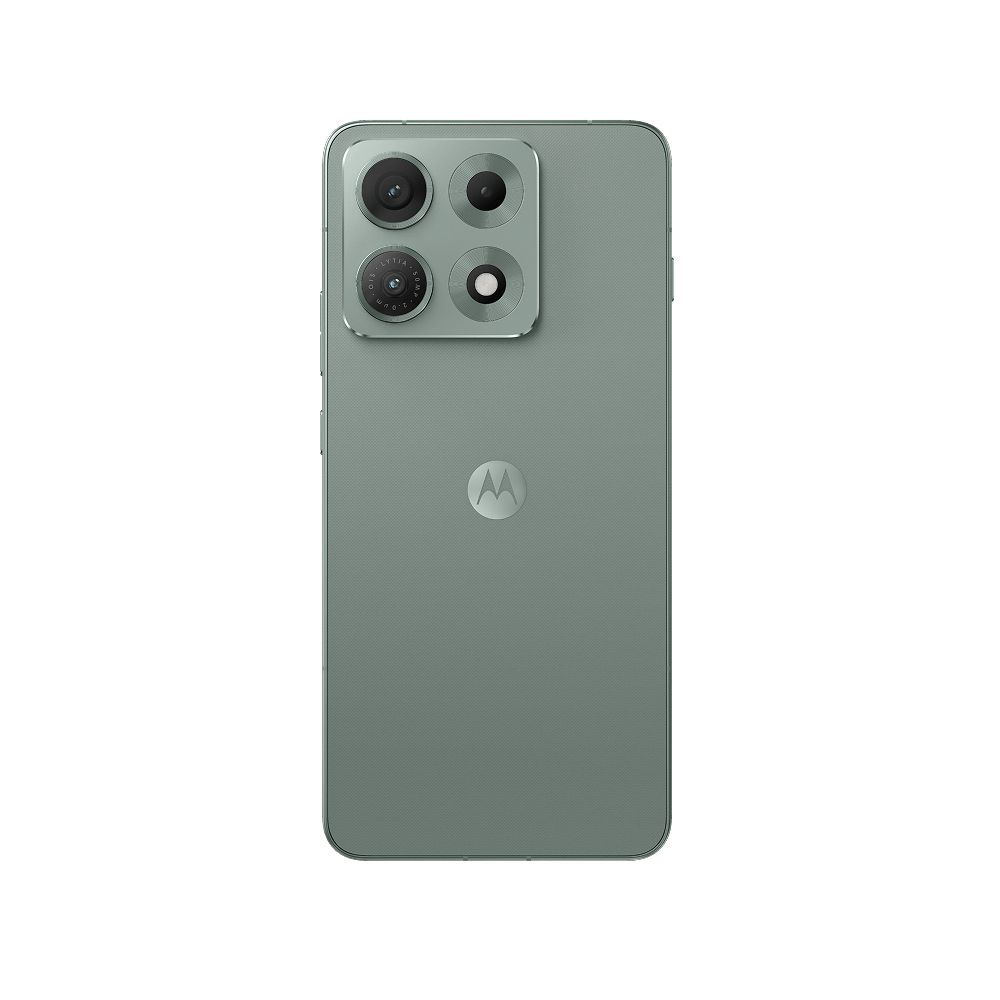
Motorola has started rolling out the Motorola Edge 70 Max Android 17 update, and Indian owners are among the first to get it. Unfite brings you the full details of the rollout, the build number, what is new in the update, and how to install it on your phone.
The rollout was first reported on 6 November 2026 by YTECHB, which spotted the stable build reaching Edge 70 Max users in India and Europe. The Android Update Tracker has now also flipped the Edge 70 Max to “available” for Android 17, giving the report a second, independent confirmation. That matters, because Motorola is pushing this update in batches, so not every phone will see it on the same day.
The Motorola Edge 70 Max Android 17 update at a glance
Here is everything confirmed about the Motorola Edge 70 Max Android 17 update so far:
- Build number: A171WWH.15-43 (reported by YTECHB)
- Download size: around 2.60GB, so use Wi-Fi
- Regions: India and Europe (RETEU) in this wave
- Rollout style: phased and batched, so it reaches users in waves
- Software: Android 17 with Motorola’s HelloUI on top
If the update has not reached your phone yet, that is normal for a phased rollout. It should appear over the coming days. You can also check for it manually, which we explain below.
How to install the Android 17 update on your Edge 70 Max
Checking for the Motorola Edge 70 Max Android 17 update takes less than a minute:
- Open Settings on your Edge 70 Max.
- Go to System, then tap System Update.
- If the Android 17 update is listed, tap Download and install.
- Keep the phone on Wi-Fi and above 50 percent battery while it downloads and installs.
Before you start, back up your photos, chats and important files, and make sure you have at least 3GB of free space for the roughly 2.60GB download. The phone will restart once during the install. There is no official way to roll back from Android 17 to Android 16 afterwards, so install it when you have some free time, not in the middle of a busy day.
What is new in Android 17 and HelloUI
The Motorola Edge 70 Max Android 17 update comes with the company’s new HelloUI software, which replaces the older My UX name but keeps Motorola’s near-stock feel. The headline change is Qira, Motorola’s new AI assistant. The Edge 70 Max was the first phone to debut Qira at launch, and the Android 17 update expands it further, with smarter on-device help and cross-device features that also connect Motorola phones with Lenovo PCs and tablets.
Live Updates is the most visible change. Ongoing activities such as music, timers, calls and deliveries now show up as a live snippet around the front camera cutout, in a style similar to the Dynamic Island idea, and it works with more everyday apps than before. The Settings menu has been redesigned to look closer to Google’s Pixel style, and the Quick Settings panel and control centre have a fresh look too.
Other changes in the update include stackable widgets, so several widgets can sit in one block on the home screen; notification summaries that turn long chat threads into a short one-line summary; cross-platform Quick Share that can share files with a QR code; and automatic scam protection that scans incoming SMS, MMS and RCS messages for phishing attempts. You also get finer HDR brightness control, a battery health monitor, floating app bubbles, a one-time precise location option when sharing your location, and a contacts picker that lets you share only the contacts you choose.
A quick recap of the Motorola Edge 70 Max
The Edge 70 Max launched in India on 15 July 2026 and went on sale on 20 July 2026 through Flipkart, motorola.in and leading retail stores. It is Motorola’s battery-first flagship killer, and the update is its first major software upgrade since launch.
| Specification | Motorola Edge 70 Max |
|---|---|
| Display | 6.82-inch LTPO AMOLED, QHD+ (1440p), 144Hz, HDR10+, up to 7,000 nits peak |
| Processor | Snapdragon 8 Gen 5 (3nm), up to 3.8GHz |
| RAM and storage | 8GB or 12GB RAM, 256GB storage |
| Rear cameras | 50MP Sony LYTIA-710 main with OIS + 8MP ultra-wide with macro |
| Front camera | 32MP |
| Battery | 7,100mAh silicon-carbon |
| Charging | 90W wired TurboPower, 25W wireless with built-in Qi2.2 magnets |
| Durability | IP68 and IP69, MIL-STD-810H, aluminium frame, Gorilla Glass 7i |
| Colours | Pantone Aqua Gray, Pantone Ice Melt, Pantone Dark Shadow |
| Launched with | Android 16 |
| India launch price | Rs 54,999 (8GB + 256GB), Rs 59,999 (12GB + 256GB); effective launch price Rs 49,999 with offers |
Current listings put the phone at around Rs 51,790 for the base model, so prices have already come down from the launch tag.
What this update means for owners
This is a bigger deal than a routine patch. The Edge 70 Max shipped with Android 16, and Motorola has now confirmed it will receive three major OS updates and five years of security patches. That confirmation matters: the fine print on Motorola’s product page first suggested only two OS upgrades, and Motorola later clarified to GSMArena that the phone gets three, just like the rest of the Edge 70 series.
The Motorola Edge 70 Max Android 17 update is the first of those three updates, which leaves Android 18 and Android 19 still to come. Owners who bought the phone for its huge 7,100mAh battery and its Snapdragon 8 Gen 5 chip can now also count on it staying current for years, which was the one weak spot in the phone’s launch story.
For context, Motorola’s Android 17 rollout has been moving steadily through its line-up. The Edge 70 got the update in September, the Edge 70 Pro followed in late October, and the base Edge 60 started receiving it in early November — Unfite covered that rollout in our Motorola Edge 60 Android 17 update post. The Edge 70 Max joining that list now means almost the whole Edge 70 family is on Android 17.
What to do before you tap install
A major Android upgrade is a good moment for a quick tidy-up. Back up anything you cannot afford to lose, clear out a few gigabytes of space, and charge the phone past 50 percent. If you use the phone for work calls or navigation every day, install the update in the evening, so a restart or a long first boot does not catch you out. Most users will find the phone feels familiar after the update — HelloUI keeps Motorola’s clean look — with the new Live Updates and Qira features revealing themselves over the first few days of use.
If the update has not arrived on your Edge 70 Max yet, check again in a day or two. Phased rollouts are deliberately slow at the start so Motorola can catch problems early, and India is included in this wave, so the notification should land soon.
Frequently asked questions
Is Android 17 stable on the Motorola Edge 70 Max?
Yes. This is the stable Android 17 release, not a beta. It was reported rolling out on 6 November 2026, and the Android Update Tracker now lists the Edge 70 Max as having Android 17 available.
What is the build number of the Edge 70 Max Android 17 update?
The reported build number is A171WWH.15-43, and the download is around 2.60GB.
Has the update reached India?
Yes, India is included in this rollout wave along with Europe. It is a phased rollout, so it reaches different users on different days.
What is new in the update?
The Motorola Edge 70 Max Android 17 update brings Android 17 with Motorola’s HelloUI, including the Qira AI assistant, Live Updates around the camera cutout, a redesigned Settings and Quick Settings, stackable widgets, notification summaries, cross-platform Quick Share, scam protection for messages, HDR brightness control and a battery health monitor.
Will the Edge 70 Max get Android 18?
Yes. Motorola has confirmed three major OS updates for the phone, and Android 17 is the first of them, so Android 18 and Android 19 should follow.
How do I check for the update manually?
Go to Settings, then System, then System Update on your Edge 70 Max. If the update is available for your phone, it will appear there.
Unfite will keep tracking the Motorola Edge 70 Max Android 17 update, including when the update reaches more regions and when the next build lands. If you own an Edge 70 Max, check for the update today — and tell us in the comments whether it has reached your phone yet.
Image Credit: Motorola — Official product image via motorola.in