Unfite brings you the full details of the Samsung Galaxy A26 A27 One UI 9 update in the United States,
including the new firmware versions, what is changing, and how owners in the US can check for the software today. Samsung has started rolling out One UI 9.0, based on Android 17, to the Galaxy A26 and Galaxy A27 in the US, and the early reports point to factory-unlocked models receiving the update first. Carrier-locked versions are expected to follow soon, although the exact timing will vary by carrier and by model.
This is important news for owners of two affordable Samsung phones. The Galaxy A26 and Galaxy A27 are not flagship phones, yet Samsung is bringing them a major new version of its software. For many owners, this will be one of the biggest changes their phone has received since they bought it, because a full One UI version update touches the look of the phone, the settings, the privacy controls and several everyday apps. Before we go further, it is worth being clear about what this story is and what it is not. This is the US rollout wave reported on 4 November 2026. It is not the first One UI 9 rollout ever for these phones, because the Galaxy A26 had an earlier Asia rollout in October. It is also not a confirmed India rollout for this US wave, and no India date is confirmed here. Samsung usually releases updates in phases, so other regions and carriers follow over time rather than all at once.
Samsung Galaxy A26 A27 One UI 9 Update: What Is Rolling Out in the US
The headline is simple: One UI 9.0 with Android 17 is reaching the Galaxy A26 and Galaxy A27 in the US. The rollout begins with factory-unlocked variants, which are the models sold without a carrier lock. If you bought your phone directly from Samsung or from an unlocked retailer, you are more likely to see the update early. If your phone is tied to a carrier, you may need to wait a little longer while that carrier completes its own testing and release process. The update package is reported to be around 3GB in size. That is a large download, so it is best to use a stable Wi-Fi connection and to make sure your phone has enough free storage before you start. As a one-line context note, carrier-locked Galaxy A54 units are reported to be in the same US wave, but this article stays focused on the Galaxy A26 and Galaxy A27.
Galaxy A26 and A27 One UI 9 Firmware Versions
Firmware versions are the clearest way to confirm that you have received the right update. The reported US firmware versions are A266U1UEUADZJ5 for the Galaxy A26 and A276U1UEU3BZIF for the Galaxy A27, both on One UI 9.0 with Android 17, with factory-unlocked variants first. If your phone shows one of these versions after updating, you are on the new release for your model. Keep a note of your current version before you update, so you can compare it afterwards in Settings, under About phone and then Software information. If your phone has not received the update yet, that does not mean there is a problem with your device, because phased rollouts can take days or weeks to reach every eligible phone, even within the same country.
| Phone | US firmware version | Software |
| Samsung Galaxy A26 | A266U1UEUADZJ5 | One UI 9.0, Android 17 |
| Samsung Galaxy A27 | A276U1UEU3BZIF | One UI 9.0, Android 17 |
How to Check and Install the Samsung Galaxy A26 A27 One UI 9 Update
Checking for the update is simple. First, open Settings on your phone. Second, tap Software update. Third, tap Check for updates, which on some US phones may appear as Download and install. Fourth, if the One UI 9 update is available, follow the on-screen instructions to download it. Fifth, when the download is complete, follow the prompt to restart your phone and finish the installation. Before you start, back up your important photos, messages and files. Connect to Wi-Fi if you can, because the package is around 3GB, and keep your phone charged or plugged in during the update. After installation, give the phone a few minutes to settle, and restart it again if an app behaves oddly. If no update appears, try again later, check that you have enough free storage and a stable network, and allow extra time if your phone is carrier-locked.
What Is New in One UI 9 for Galaxy A26 and A27
One UI 9 brings a refreshed experience, but availability varies by model and region, and not every flagship AI feature is guaranteed on A-series phones. Quick Panel customisation is one of the most visible changes: you can rearrange controls, resize the brightness and volume sliders, and change the media player layout. One UI 9 also adds a location privacy indicator, which helps you see more clearly when location is being used, and a Warranty and care section in Settings, which gives owners a clearer place to find warranty and device care information. Samsung has also described enhancements to Samsung DeX, Samsung Notes and accessibility in One UI 9. Beyond those highlights, there are general One UI 9 features, labelled here as general because exact availability can vary by model and region: Now Nudge, custom Now Brief cards, My FanCam and Security Brief. Together, these changes point to a version that is less about one dramatic new feature and more about control, clarity and everyday polish.
Galaxy A26 vs A27 Specs: A Quick Recap
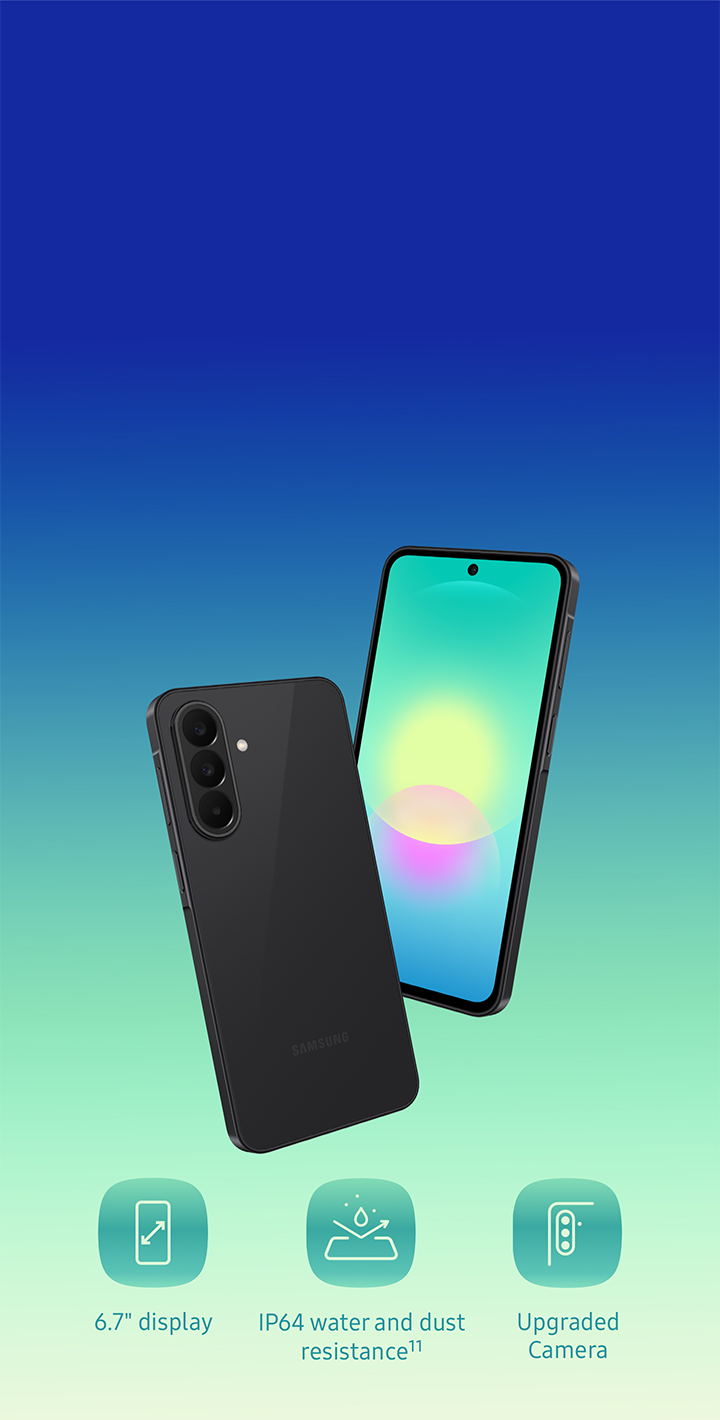
Both phones share a large 6.7-inch display and a 5,000mAh battery, but they differ in processor, cameras, water resistance and software support. The display is a strong point for both: a 6.7-inch FHD+ Super AMOLED screen with a 120Hz refresh rate should look bright and smooth for video, social media and everyday browsing. On cameras, both use a 50MP main camera with optical image stabilisation, while the ultra-wide camera differs, with 8MP on the Galaxy A26 and 5MP on the Galaxy A27, and front cameras of 13MP and 12MP respectively. The processor difference is the clearest hardware split: the Galaxy A26 uses the Exynos 1380, while the Galaxy A27 uses the Snapdragon 6 Gen 3. Water resistance also differs, with IP67 on the A26 and IP64 on the A27, and both use Gorilla Glass Victus+.
| Specification | Galaxy A26 | Galaxy A27 |
| Display | 6.7-inch FHD+ Super AMOLED, 120Hz | 6.7-inch FHD+ Super AMOLED, 120Hz |
| Processor | Exynos 1380 | Snapdragon 6 Gen 3 |
| Cameras | 50MP OIS + 8MP ultra-wide + 2MP macro, 13MP front | 50MP OIS + 5MP ultra-wide + 2MP macro, 12MP front |
| Battery and charging | 5,000mAh, 25W charging | 5,000mAh, 25W charging (up to 45% in 30 minutes) |
| Protection | IP67, Gorilla Glass Victus+ | IP64, Gorilla Glass Victus+ |
| Software support | Not stated here | 6 OS upgrades and 6 years of security updates from date of global manufacture (Q2 2026) per Samsung US |
Who Gets the Samsung Galaxy A26 A27 One UI 9 Update Next, and What Is Not Confirmed
The next step in this rollout is the carrier-locked release in the US. Factory-unlocked phones are first in this wave, and carrier-locked variants should follow soon, although exact carrier dates are not confirmed. What is not confirmed is just as important: no India date for this US wave is confirmed, so readers in India should not treat this story as an India release announcement. Other regions and carriers follow in phases, and no security-patch month and no exact download size beyond the reported around 3GB figure are stated here. At Unfite, we will keep an eye on the next phases of this rollout and update our coverage if carrier timing or regional availability becomes clearer. For more background on Samsung software updates, see the related Samsung Galaxy S23 One UI 9 update report, and for official Galaxy A27 details in the US, see the Samsung US Galaxy A27 page.
Pros and Cons of the One UI 9 Update for Galaxy A26 and A27
Pros: a major Android 17 and One UI 9.0 upgrade for affordable A-series phones; more Quick Panel control, with rearranged controls and resized sliders; a location privacy indicator and a clearer Warranty and care section in Settings; improvements to Samsung DeX, Samsung Notes and accessibility; large 6.7-inch 120Hz displays and 5,000mAh batteries; and long software support on the Galaxy A27. Cons: carrier-locked US owners may have to wait longer than factory-unlocked owners; not every flagship AI feature is guaranteed on A-series phones, and availability varies by model and region; the update package is around 3GB, so it needs Wi-Fi, storage space and time; some general One UI 9 features may differ or be missing depending on your model and region; and no India date is confirmed for this US wave. For most owners, the answer on installing is yes, once the update appears, provided you back up first, charge the phone, and choose a time when you will not need it for a short while.
Frequently Asked Questions
What is the Samsung Galaxy A26 A27 One UI 9 update? It is the One UI 9.0 update based on Android 17 for the Galaxy A26 and Galaxy A27 in the US, with factory-unlocked variants reported first and carrier-locked variants expected to follow soon. What are the firmware versions? They are A266U1UEUADZJ5 for the Galaxy A26 and A276U1UEU3BZIF for the Galaxy A27. How do I check for the update? Go to Settings, then Software update, then Check for updates, or Download and install on some US phones, after backing up and connecting to Wi-Fi. Is this the first One UI 9 rollout for these phones? No, this is the US wave reported on 4 November 2026, and the Galaxy A26 had an earlier Asia rollout in October. When will carrier-locked phones and other regions get it? Carrier-locked US variants should follow soon, other regions follow in phases, and no India date is confirmed for this US wave. We hope this guide helps you check, install and enjoy the new software. Unfite will continue to follow Samsung update news for the Galaxy A series.
Related reading: Samsung Galaxy S23 One UI 9 update https://unfite.co.in/samsung-galaxy-s23-one-ui-9-update/ and official Samsung US Galaxy A27 pagehttps://www.samsung.com/us/smartphones/galaxy-a27-5g/
The Samsung Galaxy A26 A27 One UI 9 update is the US wave to watch. This Samsung Galaxy A26 A27 One UI 9 update brings Android 17 to both phones. Owners should check for the Samsung Galaxy A26 A27 One UI 9 update in Settings. The Samsung Galaxy A26 A27 One UI 9 update is rolling out first to factory-unlocked models.