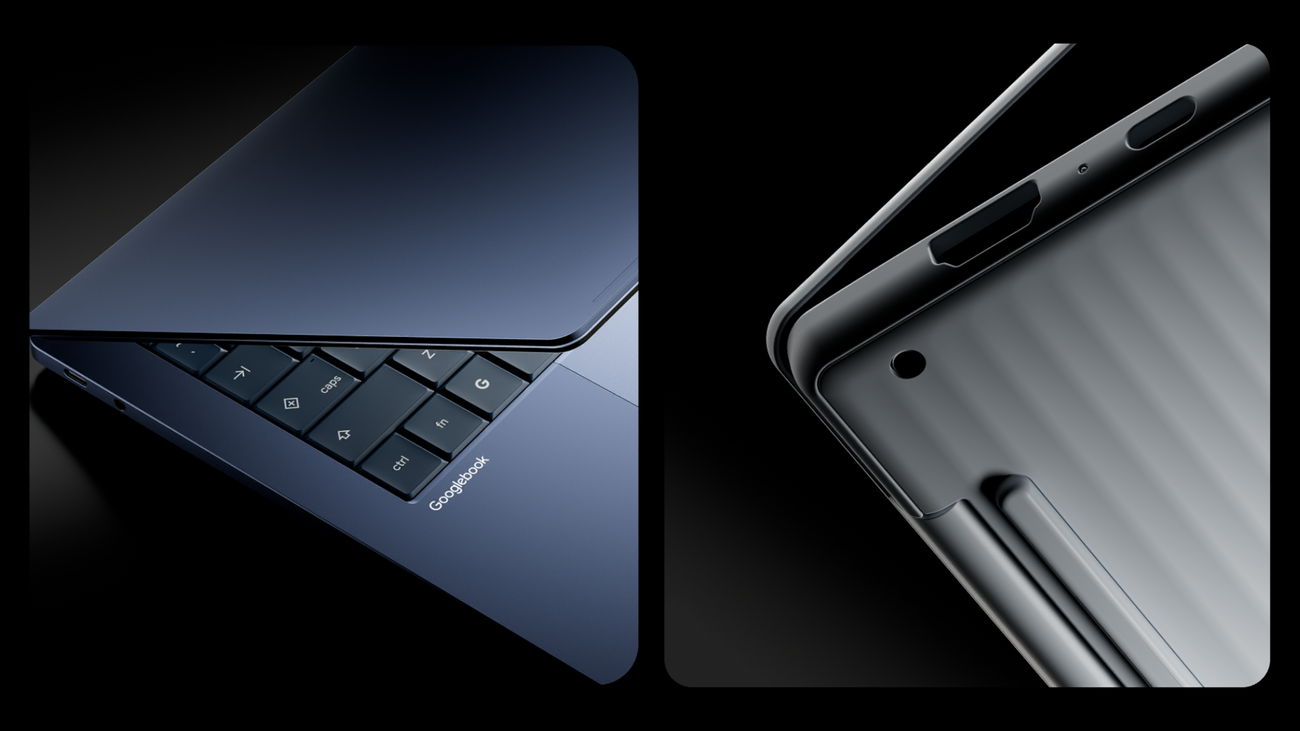
Google has started rolling out the first big software update for its new Googlebook laptops, and it is a large one. The Googlebook November update carries 31 fixes and improvements, frees up to 6GB of RAM on three of the five models, and brings the November 1 security patch to every Googlebook. Unfite brings you the full details of what is fixed, which models get what, and how to check for it on your laptop. See also Google’s official Googlebook blog post and the November 2026 Google System Update.
Googlebook is Google’s new category of premium laptops, built on Android and designed to work closely with an Android phone. The first five models come from Acer, ASUS, Dell, HP and Lenovo, and they went on sale in the United States on October 4, 2026, followed by Canada, the UK, Ireland, France, Germany and Australia on October 5. Early buyers reported performance hiccups and rough edges, and Google has already pushed several smaller updates in October. This
November release is the first big clean-up, and it touches almost every part of the machine.
The headline fix: up to 6GB of RAM back
The change most owners will feel is the memory fix. On the Acer Googlebook 14, the ASUS Googlebook 14 and the Lenovo Googlebook 15, Google has updated how the NPU driver manages memory for on-device AI. The result is that the system can reclaim roughly 3GB to 6GB of RAM that was previously tied up by AI services, leaving more memory free for Chrome and other apps.
That matters because every launch Googlebook ships with 16GB of memory. On a 16GB machine, getting back up to 6GB is a large share of the total, and it should make heavy multitasking noticeably smoother. Google says the change improves multitasking stability on these 16GB devices. Chrome itself also gets better memory stability when many tabs are open, which should mean fewer tab reloads and crashes under heavy workloads. Wi-Fi background systems get stability improvements in the same build.
One thing to be clear about: this does not add physical RAM to your laptop. It is the operating system using the memory it already has more efficiently. But for owners who felt their new laptop slowing down with a dozen Chrome tabs open, it is the single most useful fix in this update.
Bluetooth and audio: the lip-sync fix
Bluetooth audio gets real attention in this release. On the HP Googlebook 14 and the Dell XPS Googlebook 13, Google has changed how the operating system routes Bluetooth audio, fixing a noticeable lip-sync delay when watching videos with wireless earbuds or headphones. If dialogue on YouTube felt slightly out of step with the picture, this is the fix for it.
Two more audio changes land on the same two models. Compatible Bluetooth Low Energy hearing aids that support the ASHA standard can now be selected as an audio output device, instead of calls and audio being routed through the laptop speakers as they were in the earlier build. And external USB microphones and audio interfaces, including the Focusrite Scarlett and Elgato Wave, no longer hit an audio buffering problem that could stop recording altogether.
Smaller Bluetooth fixes apply to all models: Bluetooth Low Energy mice now reconnect automatically after the laptop restarts, instead of needing to be paired again.
Displays and external monitors
If you plug your Googlebook into an external monitor, several annoying bugs are fixed here. Playing DRM-protected video such as Netflix on a connected external monitor could show a black video screen while the audio kept playing. That is fixed on the HP Googlebook 14 and Dell XPS Googlebook 13, along with a related bug where pausing a protected video on an external monitor for more than five seconds turned the screen black.
There is also a fix for a display driver crash that could restart the laptop when unplugging a USB-C hub or a DisplayPort daisy-chained multi-monitor setup, and for external desktop wallpaper covering the built-in laptop display or hiding the taskbar and app icons when unplugging two external monitors. Video calls improve too, with better stability for the Zoom app when using Background Blur, Virtual Backgrounds, Video Filters or 3D Avatars. On the HP and Dell models, a bug that dimmed the backlight and oversaturated colours when playing 60fps HDR or HLG video in indoor lighting is fixed as well.
Everyday use gets smaller fixes too. Keystrokes now register consistently when typing a password or PIN on the lock screen right after waking the laptop or opening the lid. The extra pop-up notification when copying files inside the Files app is gone. The Wallpaper and Style app no longer hangs or crashes while browsing wallpaper options. And on the Acer Googlebook 14, the built-in keyboard and touchpad are more responsive after folding the convertible into tablet or tent mode and back to laptop mode. Touch responsiveness also improves on the Dell XPS Googlebook 13.
Linux Terminal beta gets more reliable
Developers get a meaningful set of fixes in the Linux Terminal beta. Terminal shell sessions now stay connected when the laptop wakes from sleep or when you switch between tabs. Forwarded TCP ports, including SSH connections on port 2222, keep working during rapid port updates or after opening and closing several terminal processes.
Two long-standing annoyances are gone. Closing one Terminal window no longer shuts down the Linux virtual machine while other windows are still open. And system updates now refresh the Linux VM configuration files in place, without resetting your Linux storage or removing custom OpenSSH server settings. Google has also hardened system logging so that keystrokes and console output inside the Linux Terminal are never written to system diagnostic logs, and the Terminal’s connection to Antigravity, Google’s AI agent development platform, is more reliable.
Under the hood, the Linux kernels move forward too. The Acer, ASUS and Lenovo models get stability fixes on the Linux 6.18 kernel, while the HP and Dell models get an updated Linux 6.12 kernel with the latest Android 16 security patches, USB-C DisplayPort stability fixes, display suspend and resume watchdog crash fixes, and Multi-Stream DisplayPort HDCP 1.x content protection support.
The reboot-loop fix, and why it matters
One fix in this update is small in words but large in impact. Google has fixed a boot-slot priority issue that could send a Googlebook into a repeated reboot loop if an update was interrupted. A laptop stuck in a boot loop is effectively unusable until it is recovered, so this is the kind of fix that matters most to the people it hits.
A related firmware fix lands on the HP Googlebook 14 and Dell XPS Googlebook 13: some devices could fall back to factory boot firmware and restart unexpectedly during idle or normal use. That is resolved in this build as well.
November security patch included
Every Googlebook gets the November 1, 2026 Android security patch with this update. That is the same patch level Google published in its November Android security bulletin, which fixed more than 200 flaws across Android. The update is rolling out gradually as build CL3B.260622.286.R2, and Google has not given a fixed schedule, so it will reach different devices on different days.
Googlebook at a glance
| Detail | What is confirmed |
|---|---|
| What it is | Google’s new premium laptop category, built on Android with ChromeOS desktop foundations, designed for Gemini Intelligence |
| Launch models | Acer Googlebook 14, ASUS Googlebook 14, Lenovo Googlebook 15, HP Googlebook 14, Dell XPS Googlebook 13 |
| On sale since | October 4, 2026 (US); October 5, 2026 (Canada, UK, Ireland, France, Germany, Australia) |
| Starting price | $899 in the US; every model ships with 16GB RAM and 512GB storage |
| November update build | CL3B.260622.286.R2, rolling out gradually from November 5, 2026 |
| Fixes in this update | 31 fixes and improvements across seven areas |
| Security patch | November 1, 2026 Android security patch, all models |
| Memory improvement | 3GB to 6GB of RAM freed on Acer 14, ASUS 14 and Lenovo 15 |
| India launch | Not announced – no India launch date or price yet |
How to get the update
To check whether the update has reached your laptop, go to Settings, then System, then Software updates, then System update. The rollout is gradual, so it may not appear on the first day. Keep the laptop charged and on Wi-Fi while it downloads and installs, and do not interrupt the update once it starts, since the boot-loop fix in this very release exists because interrupted updates could cause problems.
If the update is not showing yet, there is nothing else to do but wait. Google has not published a per-model schedule, and the update will arrive on its own as the rollout reaches your device.
What this means for buyers in India
For readers in India, one honest note is needed: Googlebook has not launched in India yet. India is not among the first launch markets, and Google has not announced an Indian launch date or an Indian price. The update itself is rolling out to all Googlebook models worldwide, but you cannot officially buy one in India today.
That said, the update still matters for Indian Android users. Googlebook runs on the same Android foundation as your phone, and the way Google is handling its first big update – a large fix list, a real memory improvement, and a same-month security patch – shows how seriously it is taking the platform. Unfite will keep tracking Googlebook, and if Google announces an India launch, that will be the next story to watch.
The good and the not-so-good
The good is clear: a 31-fix update barely a month after launch, a genuine memory win on three models, fixes for real bugs people actually reported, and the latest security patch on day one of the rollout. The not-so-good is that early buyers had to live with these bugs at all, and that the biggest memory fix only covers three of the five models. The HP and Dell models get the longest fix lists in other areas, but their memory is untouched by this change.
Frequently asked questions
What is new in the Googlebook November update?
The Googlebook November update brings 31 fixes and improvements, frees up to 6GB of RAM on the Acer Googlebook 14, ASUS Googlebook 14 and Lenovo Googlebook 15, fixes Bluetooth audio lag, external monitor black screens and Linux Terminal reliability, and adds the November 1, 2026 Android security patch.
Which build number is the Googlebook November update?
The update rolls out as build CL3B.260622.286.R2. You can check your build in Settings, under System, then Software updates, then System update.
How much RAM does the Googlebook November update free?
Google says the update frees roughly 3GB to 6GB of RAM on the Acer Googlebook 14, ASUS Googlebook 14 and Lenovo Googlebook 15, by improving how the NPU driver manages memory for on-device AI. It does not add physical RAM; it lets the system use existing memory more efficiently.
Is Googlebook available in India?
No. Googlebook has not launched in India, and Google has not announced an Indian launch date or price. The first markets are the US, Canada, the UK, Ireland, France, Germany and Australia.
How do I install the Googlebook November update?
Go to Settings, then System, then Software updates, then System update, and check for the update. It is rolling out gradually, so it may take a few days to reach your laptop. Keep the device charged and do not interrupt the installation.
Google’s first big Googlebook update shows a company moving fast to fix a rocky launch, and the memory improvement alone makes it worth installing. Unfite will keep following Googlebook updates, and the India launch, as they happen.
Image Credit: Google – Official Googlebook product image via the Google Blog