Google has started rolling out the Android November 2026 Google System Update, and Unfite has the simple details you need. The update, dated 2 November 2026, brings Google Play services v26.43 and Google Play Store v53.9. It is a background-style update for Android phones, tablets, TVs, cars and PCs, not a big new version of Android. You can read the official changelog in Google’s System Services Release Notes.
Android November 2026 Google System Update at a glance
- Google Play services v26.43 (2 November 2026): Android Family Hub, Quick Share backup to Windows, a new Password Manager choice, Wallet updates and system improvements.
- Google Play Store v53.9 (2 November 2026): A reminder if Play Protect stays off for a while, plus at-a-glance highlights on game detail pages.
- Rollout: Phased, so not everyone will see every change on the same day.
- Cost: Free. There is no price for this update.
- Important warning: A feature in the changelog does not mean it is widely available yet.
What is a Google System update?
A Google System update is different from the update that changes your Android version. It updates Google’s own services on your device, such as Google Play services and the Google Play Store. These services power many everyday features, from signing in and sharing files to payments and security checks. That is why a small version number change can still bring useful new tools. At Unfite, we explain these updates in plain language, because the official notes can be hard to follow. Think of this update as a tune-up under the bonnet, rather than a new model of car. Your phone keeps working in the same way, but some tools get better, safer or easier to use.
Google also warns that some features in its notes may be experimental, or available only to certain users at first. Some can take months to reach everyone. So if you do not see Family Hub or another new item straight away, it does not mean your phone is broken. It may simply be waiting for its turn in the phased rollout. Do not claim a completion date for this rollout, because Google has not given one in these notes.
Google Play services v26.43: Family Hub and more
The biggest headline in the Android November 2026 Google System Update is Android Family Hub. Google describes it as a dedicated space for family management tools in Android Settings, under [Phone]. The notes do not go further than that description, so we should not guess extra features for it. In simple terms, it is meant to bring family management tools together in one dedicated place in Settings, making them easier to find.
Play services v26.43 also adds new developer features for Location and Context processes. These are tools for app makers, not settings you will tap yourself, but they can help apps work better with location and context in future. For device connectivity, there are more quality logs for [Auto, Phone, TV]. Logs help Google and device makers find and fix connection problems, even if you never see them on screen.
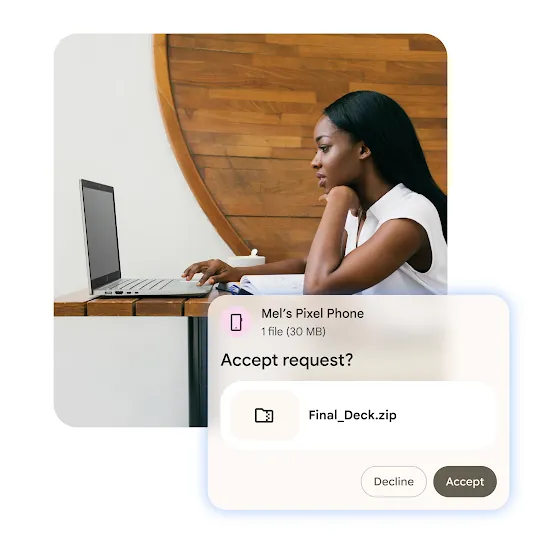
Another useful change is for PCs and phones. Play services v26.43 allows automatic backing up of photos and videos from an Android phone to Windows using Quick Share. That can save time if you often move pictures to a computer. Instead of plugging in a cable or sending files one by one, the backup can happen automatically through Quick Share, once the feature reaches you and is set up.
There are also bug fixes for Safety and Emergency services. Google Password Manager now lets you manually choose which credentials to keep when importing conflicting passwords and passkeys. That choice matters, because an automatic import could otherwise keep the wrong entry. Wallet gets loyalty-card updates plus Wallet bug fixes. Finally, system-management updates aim to improve Battery Life, Device Connectivity, Device Performance, Privacy, Security, Stability and Updatability. Those are broad areas, and the notes do not promise a specific battery gain or speed number, so do not expect a single headline improvement.
Google Play Store v53.9: Play Protect reminder and game highlights
The Play Store part of the Android November 2026 Google System Update is smaller, but still useful. For [PC, Phone], there is a reminder if Play Protect stays off for a while. Play Protect is Google’s safety check for apps, so a reminder can help you notice if it has been off longer than you meant. It is a nudge, not a forced change described in the notes.
For [Phone], game detail pages get at-a-glance highlights. These cover gameplay style, review summaries and gaming community activity. In practice, that should make it quicker to judge a game before you download it. You can see its style, what reviewers are saying in summary form, and how active its community is, without opening many separate sections.
How to check for the Android November 2026 Google System Update
Because this is a phased rollout, there is no single button that forces every feature to appear at once. On a Pixel, 9to5Google gives this path: Settings, then tap your name at the top for Google services, then the All services tab, then Privacy and security, then System services. That path is for checking system services, not for installing a new Android version. Other phone makers may show the steps in a slightly different place, so look for Google services or system services in Settings if the exact wording differs.
It also helps to know the difference Google draws between Play services and the Google Play system update. Play services is the service updated here, in v26.43. The Google Play system update is a separate item you find under Settings, then About phone, then Android version. They sound similar, but they are not the same thing. Checking one does not check the other.
What this update is NOT
First, this is NOT a new Android version. It does not move your phone to a new Android release. Second, it is NOT the phone maker’s security patch. That patch comes from your phone maker and is listed separately. Third, it does not change the home-screen look. Unlike the new Messages, Phone and Contacts icons, this update is about services working in the background. Fourth, it is not a paid upgrade. It is free, with no price. Finally, a changelog entry is not a promise that you will get that feature today. Some features may be experimental, for certain users only, or may take months to roll out.
Android November 2026 Google System Update versions
| Component | Version | Date |
|---|---|---|
| Google Play services | v26.43 | 2 November 2026 |
| Google Play Store | v53.9 | 2 November 2026 |
Frequently asked questions about the Android November 2026 Google System Update
Is the Android November 2026 Google System Update a new Android version?
No. It updates Google Play services to v26.43 and the Google Play Store to v53.9. It is not a new Android version and not your phone maker’s security patch.
What is Android Family Hub?
Google describes Android Family Hub as a dedicated space for family management tools in Android Settings. The November 2026 notes do not list further Family Hub features, so we do not claim more than that description.
How does Quick Share backup to Windows work?
Play services v26.43 adds automatic backing up of photos and videos from an Android phone to Windows using Quick Share. Availability is phased, so it may not appear for everyone at once.
Why can I not see the new features yet?
Google says rollout is phased and some features may be experimental or for certain users only. Some features can take months to reach everyone. Checking the system services path above is the best first step.
Does this update cost anything or change my home screen?
No. It is free, and it does not change the home-screen look. That is different from an icon refresh for Messages, Phone and Contacts.
In short, the Android November 2026 Google System Update is a useful, quiet update. Family Hub, Quick Share backup to Windows, a clearer Password Manager choice and Play Protect reminders are the main points to watch for, as they roll out in phases. Unfite will keep an eye on wider availability, but for now, check your system services path and do not worry if a feature has not arrived yet.
2 thoughts on “Android November 2026 Google System Update Brings Family Hub, Quick Share Backup and Play Store Changes”