Unfite brings you the full details of the wear os 7.1 system status bar, a small change that could make a big difference to how a smartwatch feels day to day. Google has not launched a new watch update for owners yet. Instead, it has quietly shown developers a preview inside a test version of Wear OS, and that preview has caught the attention of watch fans for a simple reason: it puts the time and key system information where you can always see it.
This article explains what Google has actually confirmed, what is still only a tip, and what is not confirmed at all. That distinction matters, because headlines can easily make a developer preview sound like a finished update. Here, we will keep the two apart.
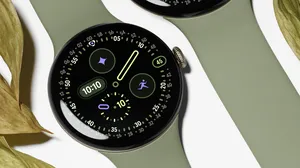
Image Credit: Google — Official Pixel Watch 5 product image. Please note plainly: no public screenshot of the final status bar exists yet. The current preview shows only a placeholder star icon, not the finished system status icons.
What Google has actually announced
Google has published a new Wear OS emulator for developers, labelled Wear OS 7.1, based on Android 17. The canary emulator was released through Android Studio on 26 October 2026, as build Wear OS 7.1 API level 37.2-beta1, and the news was reported on 2 November 2026 by Android Authority, Android Headlines and SamMobile, all reporting Google’s developer announcement.
An emulator is not a watch. It is a test version that runs on a developer’s computer, so app makers can try their software before real watches receive anything. That is why this story is exciting for developers first, and why watch owners should not expect a download yet.
Wear OS 7.1 itself is therefore best understood at this stage as a developer milestone. Google has not announced user-facing Wear OS 7.1 features for watch owners, and it has not given a release date for watches. It has also not said which watches will get Wear OS 7.1, or which watches will later get the status-bar release.
Wear OS 7.1 system status bar: the headline discovery
The headline discovery in the canary emulator is a persistent system status bar inside apps. It sits at the top of the circular display, in the 12 o’clock position, over app windows. It shows the current time and system status indicators, with standardised clock typography, placement and backplate.
Google’s quoted wording is clear about the purpose of the test:
“To prepare for an upcoming platform release of Wear OS, this canary emulator renders a persistent system status bar over Wear OS app windows at the top position of the circular display. The system status bar displays the current time and system status indicators.”
In practice, that means you would not need to leave an app, or flick to a watch face, just to check the time. The bar is designed to stay visible over app windows, which is a change from the way many watch apps currently use the full screen.
There are sensible limits built in. The time appears after 2 seconds of inactivity, so it does not clutter every instant of interaction. Full-screen dialogs, such as date and time pickers and alerts, automatically hide the bar, so important choices stay clear and unobstructed.
The critical catch: this bar will not ship in Wear OS 7.1
Here is the critical catch, stated plainly: the status bar will NOT be in the upcoming Wear OS 7.1 stable emulator. Google says it is included exclusively in this canary emulator for early testing and feedback.
That wording is important. A canary release is an early, experimental build. Features can change, be delayed, or be dropped. Google is using this build to let developers prepare for an upcoming platform release, not to promise that the bar will arrive with Wear OS 7.1 itself.
So if you read a headline that says Wear OS 7.1 has a new status bar, treat it with care. The bar has been revealed in a Wear OS 7.1-labelled canary emulator, but Google has been explicit that it is not part of the upcoming Wear OS 7.1 stable emulator.
Wear OS 8: what is tipped, and what is not confirmed
So when might the bar actually arrive? Mishaal Rahman, quoted by Android Headlines on 2 November, says the bar is coming in Wear OS 8. According to that report, it will render the time plus microphone, location, connectivity and battery icons across apps, and it will auto-hide as you scroll.
At Unfite, we are labelling this as tipped and expected, not as a promise. Google has NOT confirmed a Wear OS 8 date. It has not confirmed that Wear OS 8 is the release that will carry the bar, and it has not confirmed a rollout plan. Until Google says so directly, Wear OS 8 remains the reported destination, not an official announcement.
That caution is also the honest way to read the rest of this story. A lot of the excitement comes from a credible tip layered on top of a real developer preview. The preview is real. The timing is not yet confirmed.
What the preview shows, and what it does not show
The current preview shows only a placeholder star icon, not final system status icons. That single detail tells you how early this work is. Developers are seeing the position, the layout and the behaviour of the bar, but not the finished look of every icon that will eventually live in it.
It would be wrong to judge the final design from a placeholder. The clock typography, placement and backplate are standardised in the preview, which suggests Google wants a consistent look across apps, but the icons themselves are not final. No public screenshot of the final status bar exists yet, and any image that claims to show the finished version should be treated as unofficial unless Google publishes it.
Which apps will show the bar?
Not every app will show the bar straight away. Google’s requirement is specific: only apps targeting API level 35 or higher and compiling against Compose for Wear OS 1.8.0-alpha02 or higher, or apps that explicitly opt in via their manifest, will show the bar.
That means developers will need to update their apps to meet the bar’s requirements. Older apps that have not been updated may simply not show it. Over time, as more apps are updated, the bar should become more common, but it will not appear everywhere on day one of any future release.
For users, this is a useful detail to remember. If a future update arrives and one app shows the bar while another does not, that is likely to be an app difference, not a fault with your watch.
What this means for Pixel Watch and Galaxy Watch owners
For context, Wear OS 7 reached Pixel Watch 2, 3 and 4 in June 2026, and the Pixel Watch 5 launched in August 2026 with Wear OS 7. That makes the Pixel Watch 5 the current flagship Wear OS watch, and the natural reference point for this story.
Samsung Galaxy Watches run One UI Watch, which is based on Wear OS, so a future change of this kind could eventually reach them too. But there is no timeline for that, and Samsung has announced nothing separately about the status bar. No watch maker has been confirmed for the later status-bar release.
In short: Pixel Watch owners are in the same position as everyone else right now. They can follow the news, but they cannot install this feature, and no one should buy a watch today on the basis that this bar is guaranteed to arrive on a particular model.
Nothing to download today: how to check when a real update arrives
There is nothing for watch owners to download or switch on today. The canary emulator is a developer tool on a computer, not a watch download. You do not need to change a setting, join a test programme, or install anything to prepare for this feature.
When a real update does arrive in the future, the normal check is simple. On your watch, open Settings, then System, then System updates, and follow the on-screen prompts. Keep the watch charged and connected to Wi-Fi during an update, and back up first if your watch offers that option. If no update is shown, that simply means it has not reached your watch yet.
Unfite will keep following Google’s official announcements, so readers do not have to guess from rumours alone. For now, patience is the only action needed.
Frequently asked questions
What is Wear OS 7.1?
Wear OS 7.1 is a new developer emulator release from Google, based on Android 17. The canary emulator was released through Android Studio on 26 October 2026, as build Wear OS 7.1 API level 37.2-beta1. It is a tool for developers to test apps, not a watch update for owners.
Will my watch get the status bar with 7.1?
No, not according to Google’s own explanation. The status bar will NOT be in the upcoming Wear OS 7.1 stable emulator. It is included exclusively in the canary emulator for early testing and feedback.
When will the bar arrive?
That is not confirmed. Mishaal Rahman, quoted by Android Headlines, says the bar is coming in Wear OS 8, but Google has NOT confirmed a Wear OS 8 date. Treat Wear OS 8 as tipped and expected, not as a promise.
What will it show?
The bar is designed to show the current time and system status indicators at the top of the circular display, over app windows. The tipped version would also show microphone, location, connectivity and battery icons, and auto-hide as you scroll. The current preview, however, shows only a placeholder star icon, not the final icons.
Which apps will show it?
Only apps targeting API level 35 or higher and compiling against Compose for Wear OS 1.8.0-alpha02 or higher, or apps that explicitly opt in via their manifest, will show the bar. Other apps may not show it until they are updated.
Do I need to do anything now?
No. There is nothing to download or switch on today. When a real update arrives, check Settings, then System, then System updates on your watch, keep it charged and on Wi-Fi, and back up first.
For related Google system news, see our earlier post: Android November 2026 Google System Update. For the verified report behind this story, see Android Authority’s coverage: Wear OS will draw closer to Android phones with this system feature.
2 thoughts on “Wear OS 7.1 Revealed With a New System Status Bar Preview: What Google Has Confirmed”